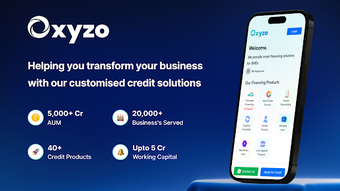

Download Oxyzo Smart Financing – Finance, Budgeting, Smart Financing, Real-Time Tracking, Multiple Currencies, Financial Goals
Overview
Oxyzo Smart Financing is a free Android application designed to empower individuals with tools for managing personal finances, tracking spending habits, and making informed financial decisions. Developed by Oxyzo Financials, the app falls under the 'Finance' category and is tailored for users seeking a streamlined way to monitor their financial health. It supports real-time transaction tracking, enabling users to stay updated on their spending as it happens. The app is particularly suited for individuals who want to gain better control over their budgets, set financial goals, and receive timely alerts when spending exceeds predefined limits.
Target users include budget-conscious consumers, young professionals, and anyone aiming to improve their financial discipline. The app's functionality is centered around simplifying financial management through intuitive design and practical tools. Real-world usage scenarios include tracking daily expenses, managing monthly budgets, planning for large purchases, and monitoring savings progress. While the developer has not provided extensive background details, the app’s focus on accessibility and user empowerment suggests a commitment to financial inclusion. The application is available exclusively in English and requires Android 13.0 or higher for operation.
Key Features & Capabilities
- Real-Time Transaction Tracking: The app provides up-to-the-minute updates on all financial transactions, helping users maintain awareness of their spending habits as they occur.
- Multi-Currency Support: Designed for users managing finances across different regions, the app supports multiple currencies, allowing seamless tracking of international transactions.
- Budgeting Tools: Users can create and manage budgets for various expense categories, with the app offering visual feedback and alerts when limits are approached or exceeded.
- Financial Goal Setting: The platform enables users to define short- and long-term financial goals—such as saving for a vacation or paying off debt—and track progress toward them.
- Bank Account Integration: Oxyzo Smart Financing allows integration with bank accounts, streamlining the process of importing and categorizing transactions automatically.
- Personalized Financial Insights: The app generates insights based on spending patterns, offering suggestions for improvement and highlighting areas of potential savings.
These features are designed to help users develop better financial habits through automation and visibility. For example, a user planning a trip can set a savings goal, link their bank account, and receive notifications when spending exceeds their weekly budget. Similarly, someone managing multiple currencies can monitor their global finances without switching between apps. The app’s clean interface ensures that these tools remain accessible even to users with limited financial experience.
User Interface, Workflow & Performance
The user interface of Oxyzo Smart Financing is described as clean and intuitive, prioritizing ease of navigation and visual clarity. The layout appears optimized for mobile use, with logical menu structures and consistent design patterns. Users can access core functions—such as viewing balances, reviewing transaction history, and adjusting budgets—through straightforward taps and swipes. The workflow is designed to minimize friction, allowing users to quickly input or categorize expenses, review reports, and adjust goals.
Performance observations are based on general software behavior patterns. The app is reported to function smoothly on devices running Android 13.0 or higher. However, exact performance details such as CPU or RAM usage were not specified by the developer.
Stability during regular use is expected to be reliable, given the app’s focus on real-time tracking and integration with financial institutions. The developer did not provide additional system requirements or resource usage metrics. Users should expect typical performance levels for a finance app of this nature, with responsiveness depending on device hardware and network conditions.
Compatibility & System Requirements
Oxyzo Smart Financing is compatible with Android 13.0 or higher, ensuring access to modern security features and system-level integrations. The app is available exclusively for Android devices and does not support other platforms. The installation size is 43.1 MB, which is relatively compact for a finance application with banking integration and real-time tracking capabilities.
Exact system requirements were not listed beyond the operating system version. Hardware specifications such as RAM, processor type, or storage space were not provided. Compatibility information was partially provided, and users are advised to ensure their device meets the minimum Android version requirement. The app is available only in English, which may limit accessibility for non-English speakers. No additional platform-specific configurations were mentioned.
Pros and Cons
Pros
- Free to download and use with no hidden costs
- Real-time transaction tracking enhances financial awareness
- Supports multiple currencies for global users
- Intuitive interface designed for ease of use
- Bank account integration simplifies data entry
- Offers personalized financial insights and goal tracking
Cons
- Available only on Android, with no support for iOS or desktop
- Language limited to English only
- Requires Android 13.0 or higher, excluding older devices
- Exact performance and resource usage details not disclosed
- Limited availability for users outside supported regions
FAQ Section
Is Oxyzo Smart Financing available for iOS devices?
The app is currently available only for Android devices. There is no information indicating support for iOS at this time.
Is the app secure for managing bank account data?
Oxyzo Smart Financing integrates with bank accounts, but specific security protocols were not detailed by the developer. Users should ensure their device is secured with up-to-date software and strong authentication methods.
How often does the app update?
The latest version is 2.2.0, released on November 10th, 2023. The update frequency is not specified, but users are encouraged to keep the app updated for optimal performance and security.
Can I use Oxyzo Smart Financing offline?
The app requires an internet connection for real-time tracking and bank account synchronization. Offline functionality is not confirmed.
Is there a license or subscription fee?
Oxyzo Smart Financing is free to download and use. There is no indication of subscription-based features or in-app purchases in the provided information.
Final Thoughts + CTA
Oxyzo Smart Financing presents a compelling option for Android users seeking a free, feature-rich tool to manage their finances. With real-time tracking, multi-currency support, and goal-based budgeting, the app addresses core needs of modern financial management. Its clean interface and bank integration streamline workflows, making it accessible even to those new to personal finance tools.
While limitations such as platform exclusivity and language restrictions apply, the app delivers strong value for its target audience. For individuals looking to improve their financial discipline and gain better control over spending, Oxyzo Smart Financing is a practical and accessible solution. Download Oxyzo Smart Financing now.







